
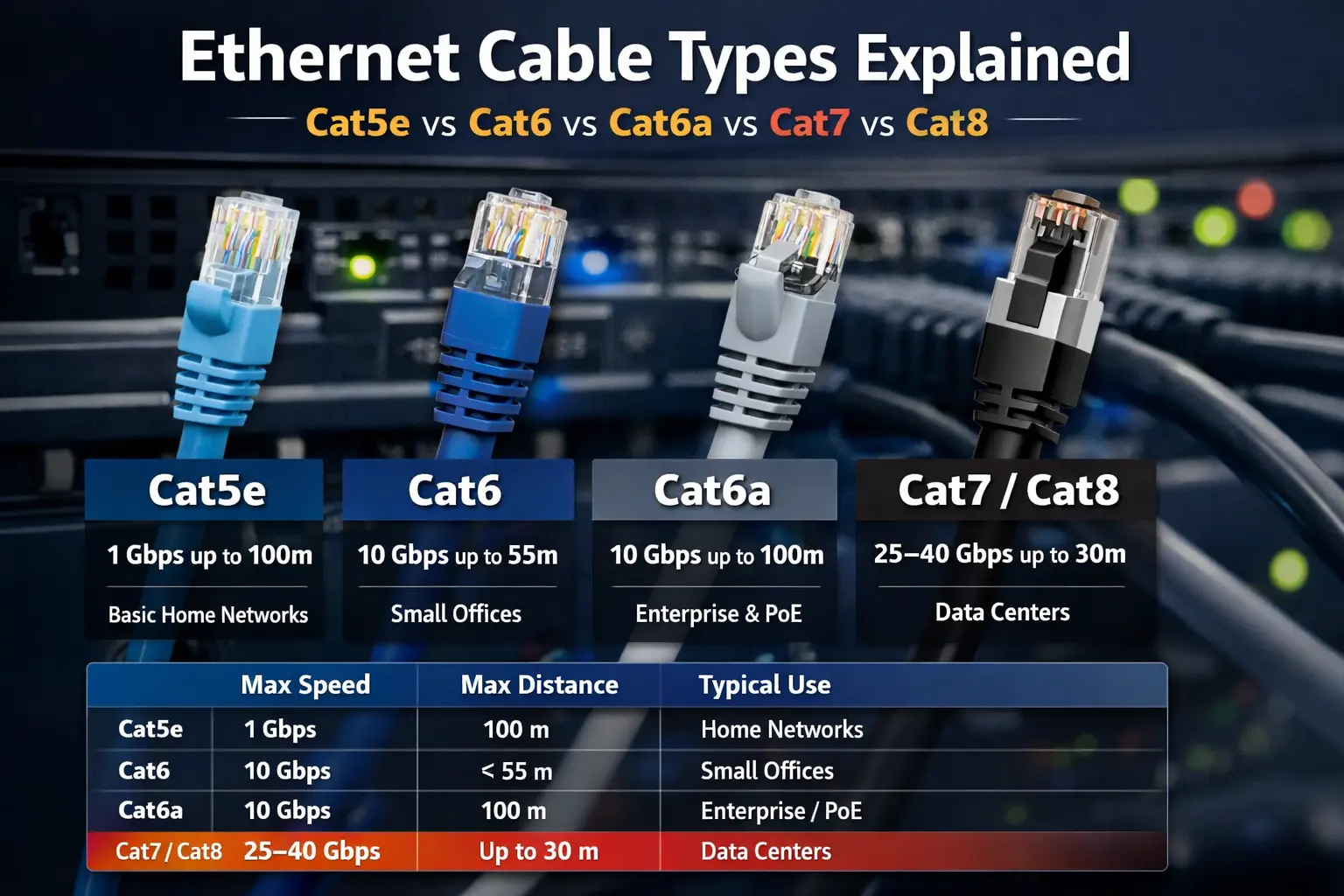
Ethernet Cable Types Explained: Cat5e vs Cat6 vs Cat6a vs Cat7 vs Cat8
Choosing the right Ethernet cable is essential for network speed, stability, and future-proofing. For most modern networks, Cat5e is the minimum, Cat6 and Cat6a are the sweet spots, and Cat7 and Cat8 are niche, high-speed options mainly used in data centers or specialized environments.
This guide explains Ethernet cable categories, speeds, distances, and best use cases so you can pick the right cable with confidence.
Overview of Ethernet Cable Categories
Cat5 (Category 5)
Status: Obsolete for new installations
Designed for Fast Ethernet (100 Mbps)
Limited bandwidth and no future upgrade headroom
Best for: Legacy networks only
Cat5e (Enhanced Category 5)
Supports Gigabit Ethernet (1 Gbps) up to 100 meters
Affordable, flexible, and widely available
Handles streaming, gaming, VoIP, and IP cameras well
Best for: Budget home and small office networks
Cat6 (Category 6)
Increased bandwidth (250 MHz) reduces crosstalk
Supports 10 Gbps up to ~55 meters
Backward compatible with Cat5e
Best for: Modern homes, small businesses, short 10G runs
Cat6a (Augmented Category 6)
500 MHz bandwidth
Guaranteed 10 Gbps up to 100 meters
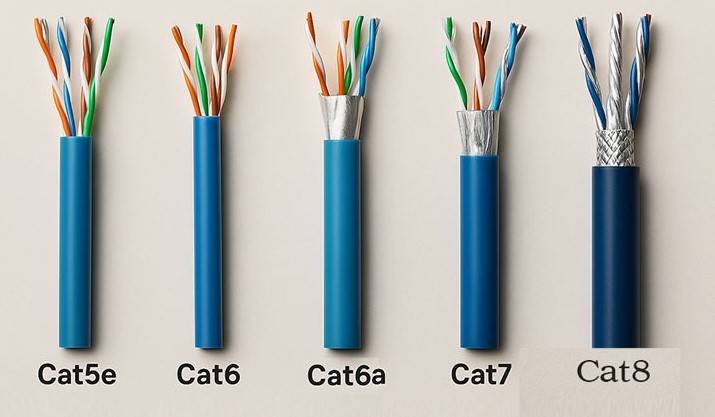
Better shielding, thicker jacket, improved PoE support
Best for: New offices, enterprise networks, high-density Wi-Fi
Cat7 (Category 7)
Fully shielded (S/FTP) design
Strong resistance to electromagnetic interference (EMI)
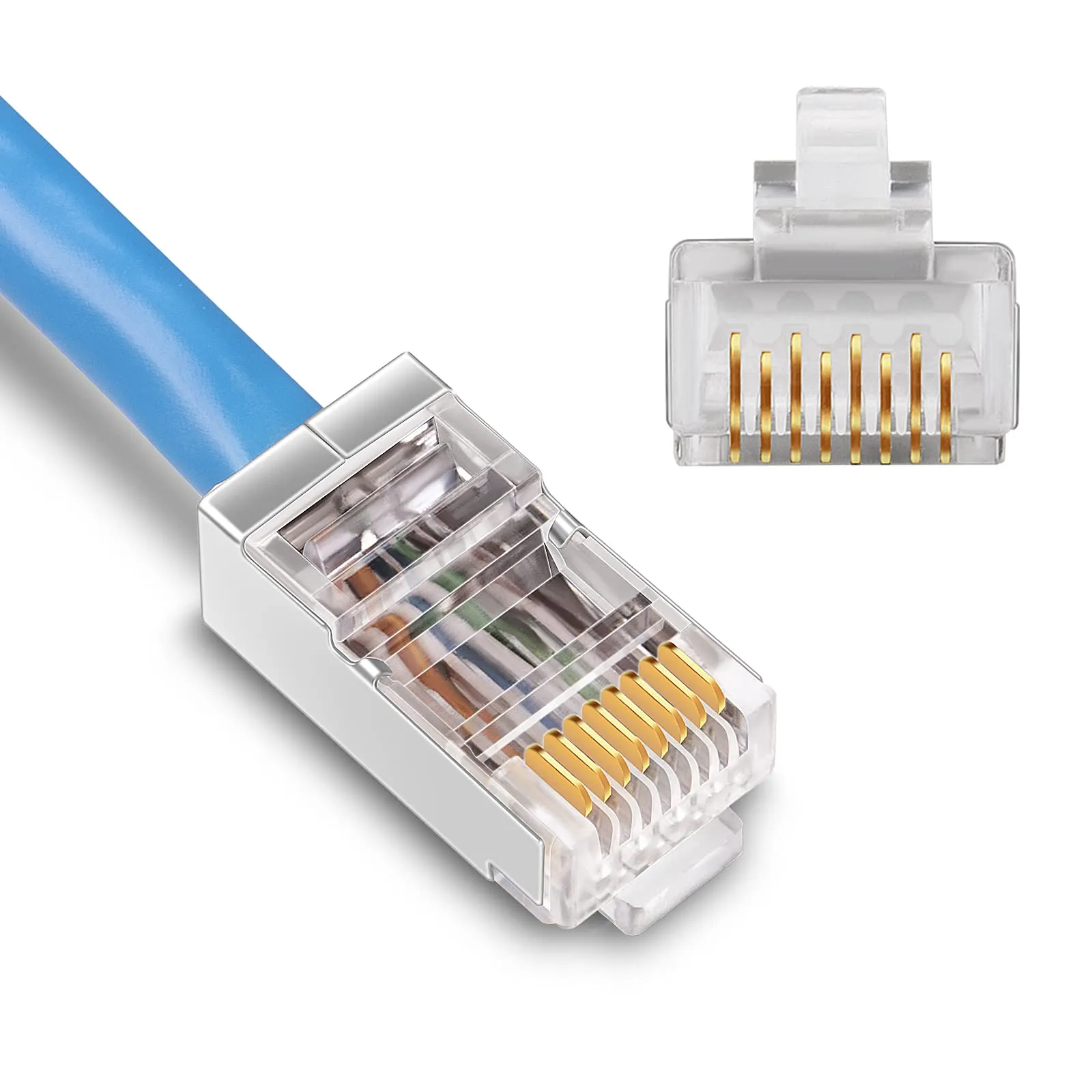
Often uses non-standard connectors
Best for: Industrial sites, EMI-heavy environments, data centers
Cat8 (Category 8)
Built for 25–40 Gbps Ethernet
Maximum length: 24–30 meters
Fully shielded with 2000 MHz bandwidth
Best for: Switch-to-switch and server rack connections in data centers
Ethernet Cable Speed, Bandwidth, and Distance Comparison
| Cable Type | Max Speed | Bandwidth (MHz) | Max Distance at Top Speed | Typical Use Case |
|---|---|---|---|---|
| Cat5 | 100 Mbps | 100 | 100 m | Legacy networks |
| Cat5e | 1 Gbps | 100 | 100 m | Home & basic office |
| Cat6 | 10 Gbps (≤55 m) | 250 | 55 m @10G / 100 m @1G | Modern homes & SMBs |
| Cat6a | 10 Gbps | 500 | 100 m | Enterprise & PoE |
| Cat7 | 10 Gbps | 600 | 100 m | EMI-heavy sites |
| Cat8 | 25–40 Gbps | 2000 | Up to 30 m | Data centers |
Benefits by Ethernet Cable Type
Cat5 & Cat5e
Cat5: Low cost but outdated and not recommended
Cat5e: Reliable Gigabit speeds, excellent value, easy to install
SEO tip: Cat5e remains the most common Ethernet cable worldwide.
Cat6
Higher bandwidth improves performance under heavy load
Ideal balance of price, speed, and future-proofing
Supports short-distance 10G upgrades
SEO tip: Often considered the “best Ethernet cable for home use.”
Cat6a
Designed for long-term infrastructure
Excellent for 10G Ethernet, PoE++, and Wi-Fi 6/6E
Thicker and slightly harder to install than Cat6
Cat7
Superior shielding minimizes interference
Not officially standardized for RJ-45 in many regions
Higher cost with limited real-world advantage
Cat8
Ultra-high bandwidth and extremely low latency
Very short runs only
Overkill for homes and offices
Practical Ethernet Cable Recommendations
✅ Best Ethernet Cable for Home Users
Minimum: Cat5e
Best value: Cat6 (especially for future 10G needs)
✅ Best Ethernet Cable for Small & Medium Businesses
Cat6: Cost-effective upgrades
Cat6a: Ideal for new structured cabling, PoE, and long-term growth
✅ Best Ethernet Cable for Data Centers & Industrial Sites
Cat6a: Usually sufficient for 10G
Cat7: Useful in extreme EMI environments
Cat8: Justified for high-speed, short-distance rack connections
Final Verdict: Which Ethernet Cable Should You Choose?
Most users: Cat6
Future-proof offices: Cat6a
Specialized high-speed needs: Cat8
Avoid for new installs: Cat5
Comments 1
Easy to understand which cable fits homes, offices, and high-speed setups.
Very useful guide
Leave a Comment